
How It Works
Getting started with MailCore Send takes just four simple steps. No complicated setup, no lengthy tutorials—just straightforward email marketing that makes sense. We do have some very short help videos for those who prefer to see it in action. Click on the button below.
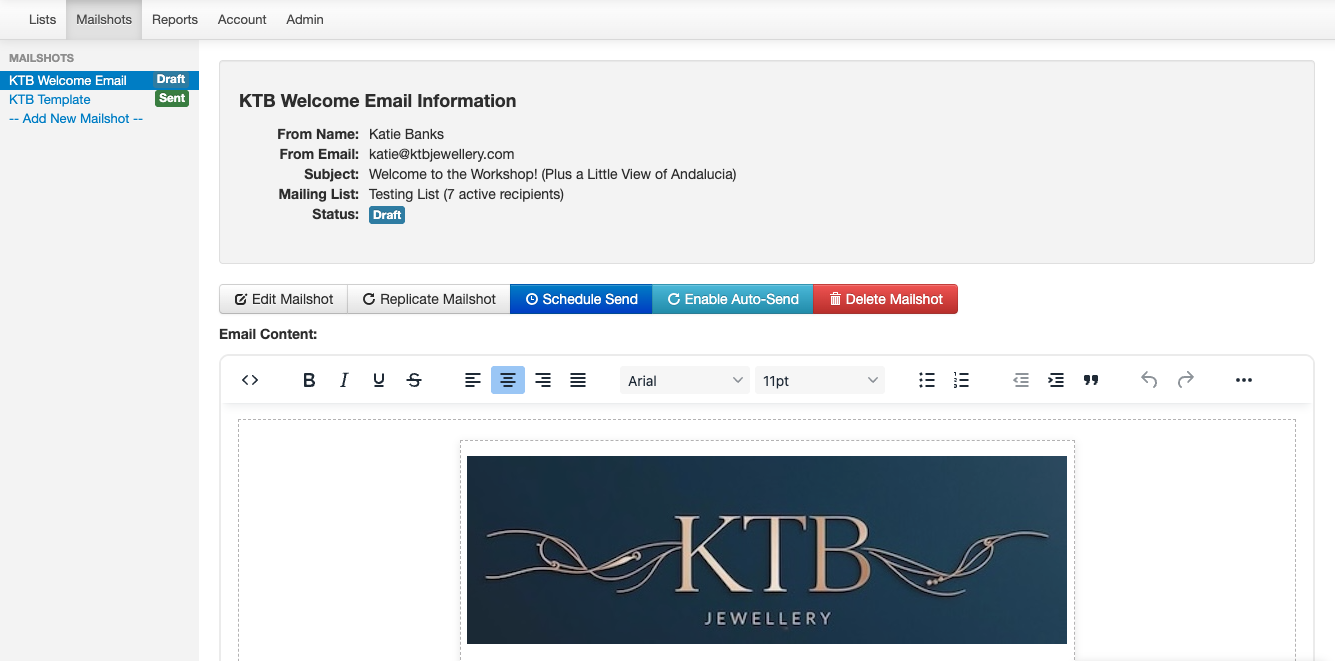
Step-by-Step Guide
| 1. Build Your List | Import contacts via CSV, add them manually, or let subscribers sign up through your website. Manage multiple lists for different audiences and keep everything organized. |
| 2. Create Campaign | Use our editor to craft beautiful HTML emails. Add images, format text, and personalize content for each recipient. Preview before sending to make sure everything looks perfect. |
| 3. Send & Track | Schedule for the perfect time or enable Auto-Send for ongoing campaigns. Watch real-time stats as your emails are opened and links are clicked. |
| 4. Grow & Optimize | Use engagement data to refine your approach. Create targeted lists from link clickers. See what works and do more of it—continuous improvement made easy. |
From Setup to Success in Minutes
The entire process—from importing your first contact to sending your first campaign—can happen in under 10 minutes. No technical knowledge required, no hidden complexity waiting to trip you up.
Most users send their first campaign within 15 minutes of signing up. The interface is that intuitive.
Ready to See It in Action?
Start with 1,000 free emails every month. No credit card required, no commitment—just sign up and start sending.